Changelog
What is new in PoliteReach, newest first. Everything here is live on every account. RSS feed
Week of 12 October 2026
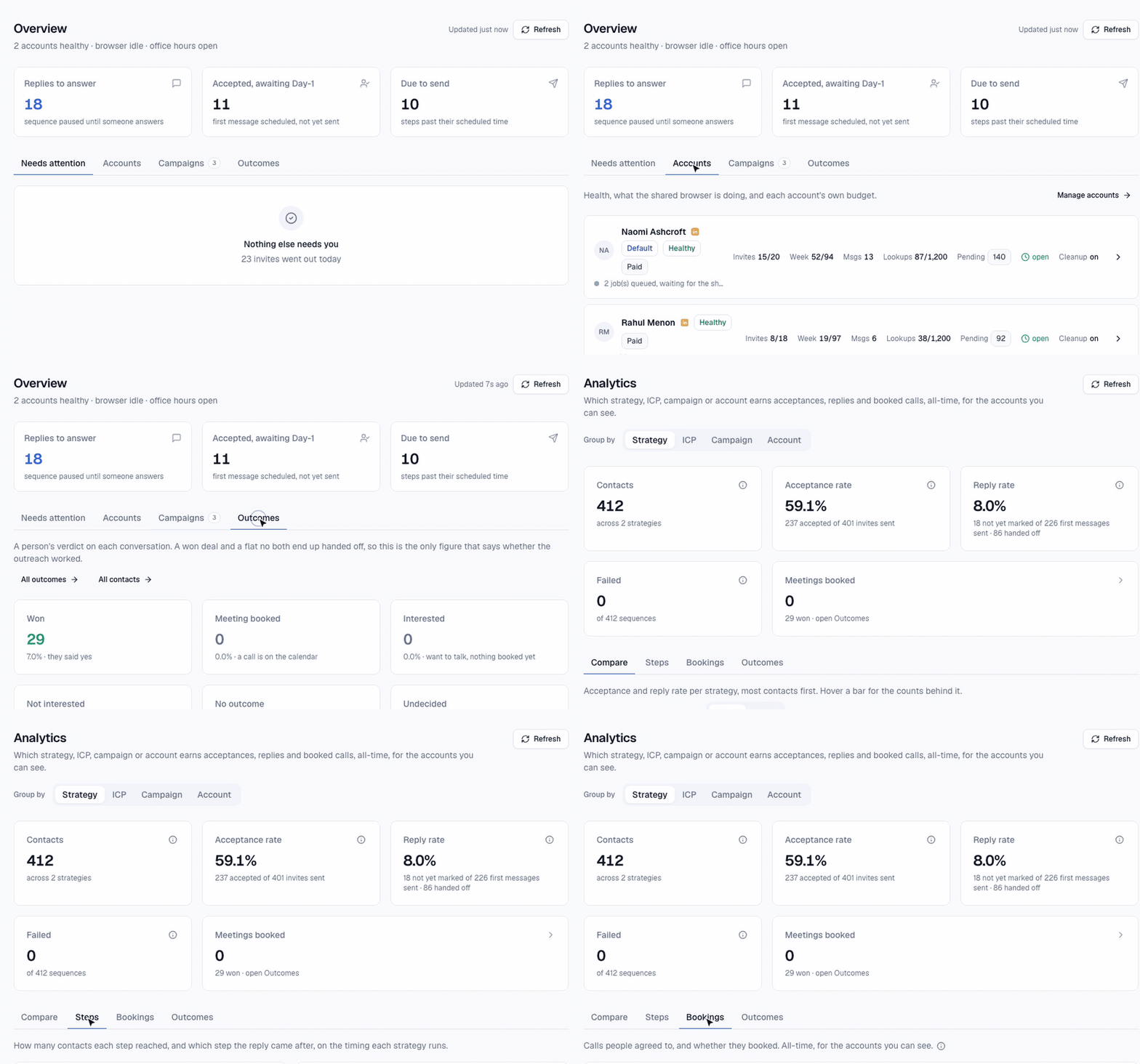
A calmer dashboard
Every page is split into tabs, one thing per screen. Less scrolling, and an account’s state reads the same everywhere.
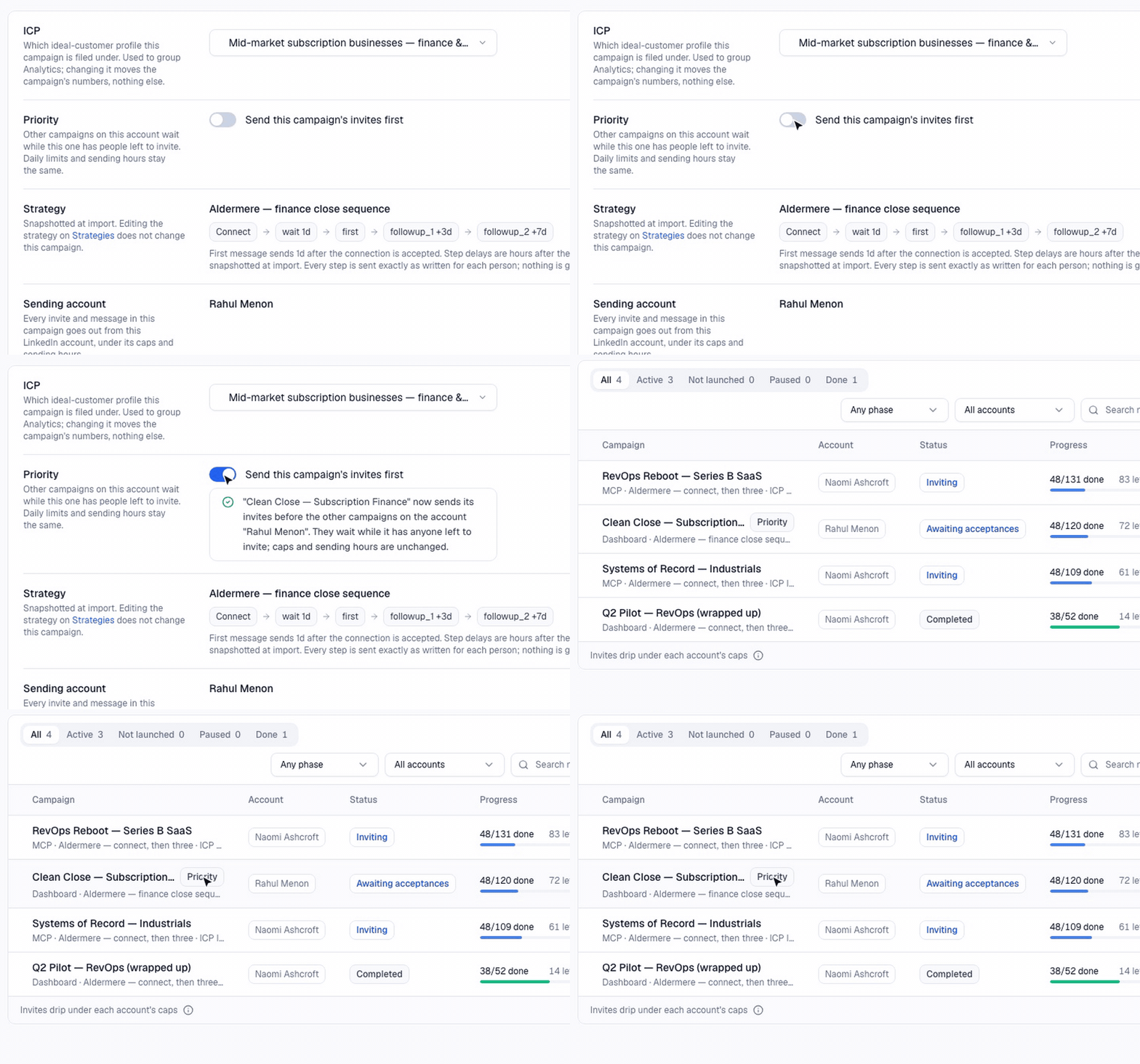
Priority campaigns
Running more than one campaign on an account? Turn on Priority in a campaign’s Settings and its invites go first. Your daily limits and sending hours stay the same.
A/B test your messages
Ask Claude to split a list into versions of your message. People are spread evenly across the versions by ICP and account, and Claude compares acceptance and reply rates for each.
Bigger jobs in one ask
Claude can fill, launch or pause many campaigns at once, and research a whole batch of people in one go.
Fair across time zones
If you send in each prospect’s working hours, the day’s invites are now shared between the time zones that are awake, so nobody waits behind a region that went first.
Invites after a like, in their hours
When Claude likes someone’s post first, the invite now lands about a day later, inside that person’s working hours.
No double chasing
Before following up with anyone you sent your booking link, Claude checks your calendar first. Bookings that did not come from LinkedIn are ignored.
Post warnings
Scheduling a post on an account that cannot post right now tells you straight away.
Safer for your account
Sequence messages go out 2 to 5 minutes apart, never back to back. No routine LinkedIn checks overnight in your time zone. A daily limit on profile visits, and more natural mouse movement on every click.
Week of 5 October 2026
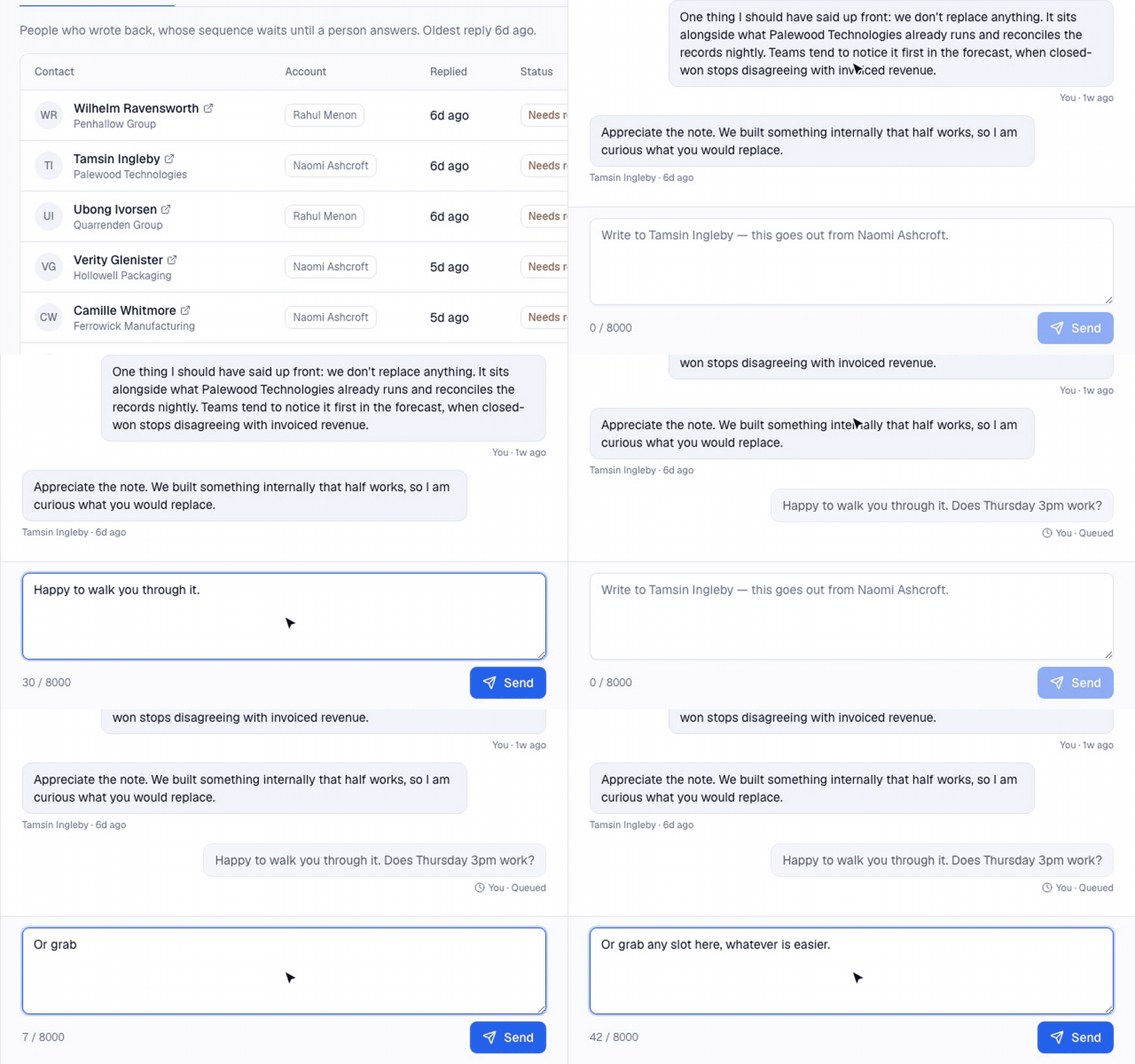
Reply and move on
Send a reply from the Inbox and it drops straight into the conversation, marked Queued. The box clears, so you can answer the next person while it sends.
Invite note allowance
When LinkedIn’s monthly allowance of custom notes runs out, invites carry on without a note. You see it on the dashboard, Claude stops writing notes until it resets, and you get one email.
Messages pasted in whole
Messages go into LinkedIn exactly as written, line breaks included, with extra checks that the right person gets them.
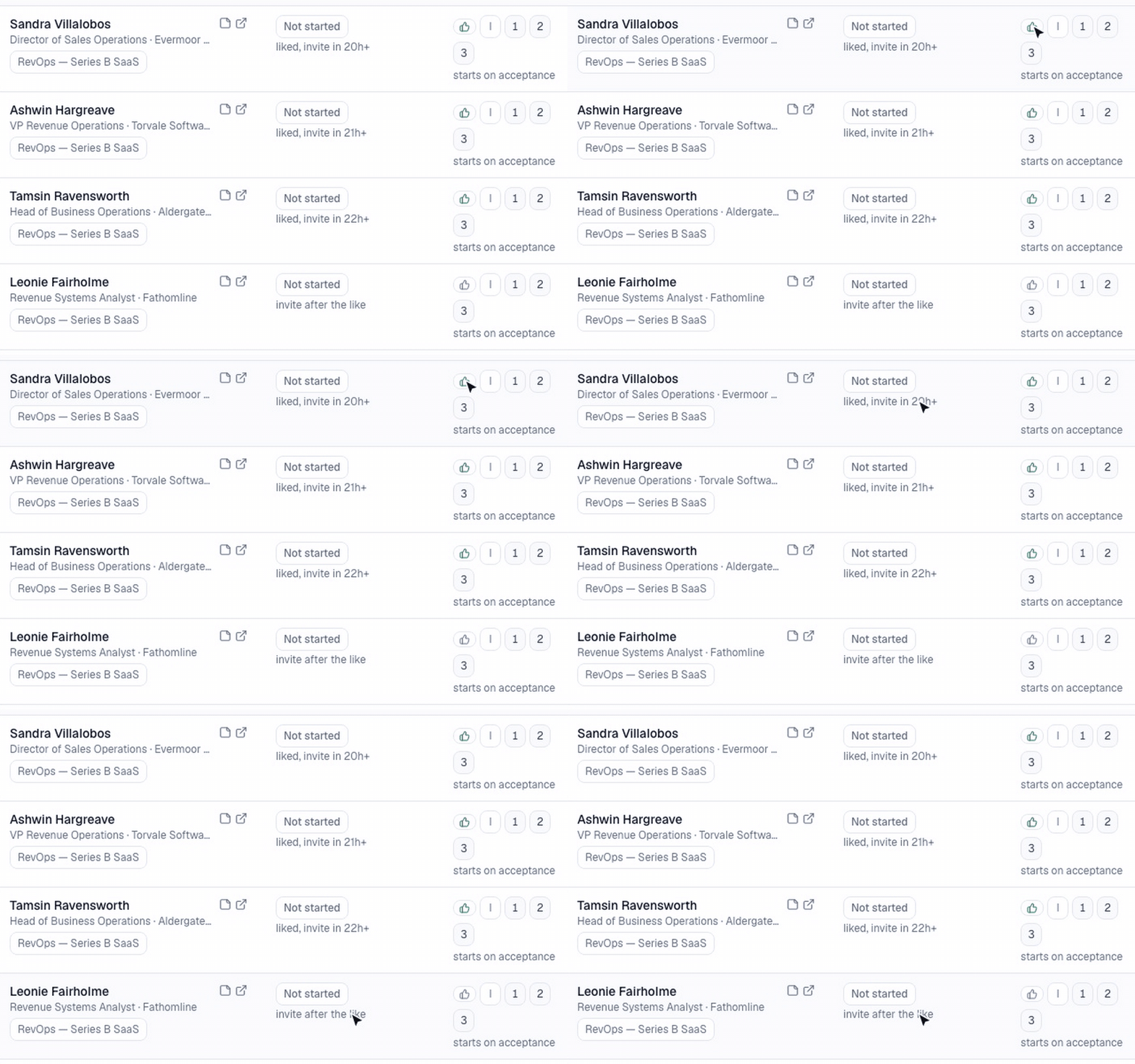
See the like on every contact
Each contact row shows a thumbs-up when a like comes before the invite, and when the invite will follow.
Week of 28 September 2026
Like their post first, then connect
Claude can warm someone up before the invite. It likes one of their recent posts, then sends the invite about a day later. Ask Claude to “like a recent post before inviting” when you import.
Lead search
Describe your ideal customer and Claude returns matching people. Uses your lookup credits.
Post-aware first messages
Claude can read someone’s last few posts before writing to them.
Booking links with their name in
Your cal.com or Calendly link opens with the person’s name already filled in.
A weekly summary email
Every Friday at 5pm: your week across every account, added up.
Campaign emails
One email when a campaign runs out of people to invite, and one when it finishes. Each carries an unsubscribe link.
Inbound invitations remembered
Claude remembers every invitation it has already looked at, so nobody is reviewed twice.
Links that fix the problem
When Claude cannot do something, it says why and gives you the link that fixes it: reconnect, subscribe or open the account.
Pay in the dialog
Subscribe without leaving the dashboard: card or UPI in rupees, or PayPal in dollars.
Easier sign-in
Connect Claude with your PoliteReach account, Google or an emailed link. A sign-in link opened in the same browser signs you in by itself.
Week of 21 September 2026
Send in the prospect’s hours
Invites and scheduled messages can go out in each prospect’s local working hours instead of yours. Anyone whose time zone is unknown gets your hours.
Pace set by your account type
PoliteReach reads whether an account is new, verified or Premium right after sign-in, and paces invites to match. The verified shield and Premium mark show beside the account name.
Reply verdicts
Mark how a conversation went: won, meeting booked, interested or not interested. Claude records them as it reads your replies.
An end-of-day summary
One email each evening with what went out, who accepted and who replied, across your accounts. Skipped on days with nothing to say.
Pause an account
Hold one account’s LinkedIn work with a single switch, for as long as you need.
Accounts name themselves
An account takes its name from LinkedIn, so adding one asks for nothing to type. You can still rename it.
Sign in with a code
The sign-in email carries a 6-digit code that signs in the tab that asked. Google sign-in works too.
Week of 14 September 2026
Edit what is queued
Change a message that is already queued, hold one for later, or rewrite a whole campaign’s copy in one ask.
Snooze a reply
Park a conversation and say when to look again. Nothing is sent while it waits.
Replies with context
The replies list says who each person is, so Claude can draft an answer straight away.
See what is about to send
Each account shows what is queued to go out next, and you can check its LinkedIn sign-in on demand.
Week of 7 September 2026
Replies caught on a schedule
The inbox is read about every hour, so a reply stops the sequence before the next message goes.
Messages inside your hours
First messages and follow-ups now wait for your sending hours, like invites always did. Follow-ups land at slightly different times, never on the dot.
Contacts you can sort
Order contacts any way you like, see which day each message is due, and see how long someone has to wait for their invite.
Move people between campaigns
Stop a campaign, or move contacts out of one and into another.
One list, many accounts
Import one list and split it across several accounts in a single ask.
Know the cost first
Before a profile lookup runs, Claude tells you how many credits it will use, and groups people by company.
Week of 31 August 2026
Profile lookups
Claude can look up a person’s profile and company before writing to them, using monthly lookup credits.
A Seen tab
See who read your last message and has not replied yet.
Know who was contacted already
An import tells you which people on the list someone on your team has already approached.
How it went
Record the outcome of each conversation. Sequences are capped at four messages.
A rebuilt dashboard
Every page redesigned, with an Activity page in plain English and Post now on the Posts page.
A shared do-not-contact list
Your team shares one do-not-contact list, and every account respects it.
Connect in one click
Setup opens Claude’s “Add custom connector” box for you. Name each connection and disconnect them one at a time.
The whole inbox
Claude reads past LinkedIn’s first 20 conversations, and replies go straight into the existing thread.
Week of 24 August 2026
Works with Claude on the web
Claude on the web can now connect to PoliteReach directly, with a normal sign-in.
Guided first run
A setup flow takes a new user from sign-in to a running campaign without help.
Your own sign-in
Everyone signs in as themselves and sees only their own accounts. Owners get an end-of-day report.
Scheduled posts
Queue a LinkedIn post for a set time from the new Posts page.
Sign in to LinkedIn from the dashboard
Connect an account by signing in to LinkedIn right in the dashboard. No cookies to copy.
Invite cleanup per account
Withdraw invitations nobody answered, on the accounts you choose. Off until you switch it on.
Sending hours per account
Each account has its own sending window, and the dashboard shows what each account is doing right now.